Use the public OSS package today. Start each task with a task contract, let the agent edit within scope, and run the review check before you trust the change.
npx agent-guardrails plan --task "..."
Use it alongside Codex, Claude Code, OpenCode, Cursor, or your usual terminal. Agent Guardrails keeps the release side clear.
The core workflow stays the same. OSS gives you the bounded review check. Pro adds the local Workbench, the next check to run, and a readable report when it has been enabled for you.
Use the public OSS package today. Start each task with a task contract, let the agent edit within scope, and run the review check before you trust the change.
Follow the setup steps you received, then open the local Workbench after each guarded check. The Workbench should answer the release question before you dig into details.
The coding agent runs the commands and checks. The human reviews the result and decides whether to ship.
Define the task, review the Workbench or report, decide whether the evidence is good enough, and choose whether to merge or deploy.
Stay in scope, run the proof command, save evidence under `.agent-guardrails/evidence/`, rerun the check, and report whether the verdict changed.
The agent handles the repetitive part. The human reviews the result and the remaining risk.
Create a task contract before the AI agent starts editing. This records intended files, allowed paths, required commands, and evidence paths.
Use Codex, Claude Code, OpenCode, Cursor, or another agent normally. Agent Guardrails works alongside that workflow.
Run the check after code changes. OSS catches scope and validation issues. Pro adds a clearer ship answer when enabled.
Read the local Workbench first. It shows "Can I ship?", the one next action, and an agent handoff prompt.
Ask the agent to run or watch the proof, save evidence, rerun the check, and report whether the verdict changed.
Most sessions only need two or three commands from the human. The repeated work can stay with the agent.
Create the task contract with npx agent-guardrails plan --task "...".
Run npx agent-guardrails check --review after the agent finishes the scoped change.
Open npx agent-guardrails pro workbench --open, read the next action, then hand the mechanical work back to the agent.
These are the two views most people look at first.
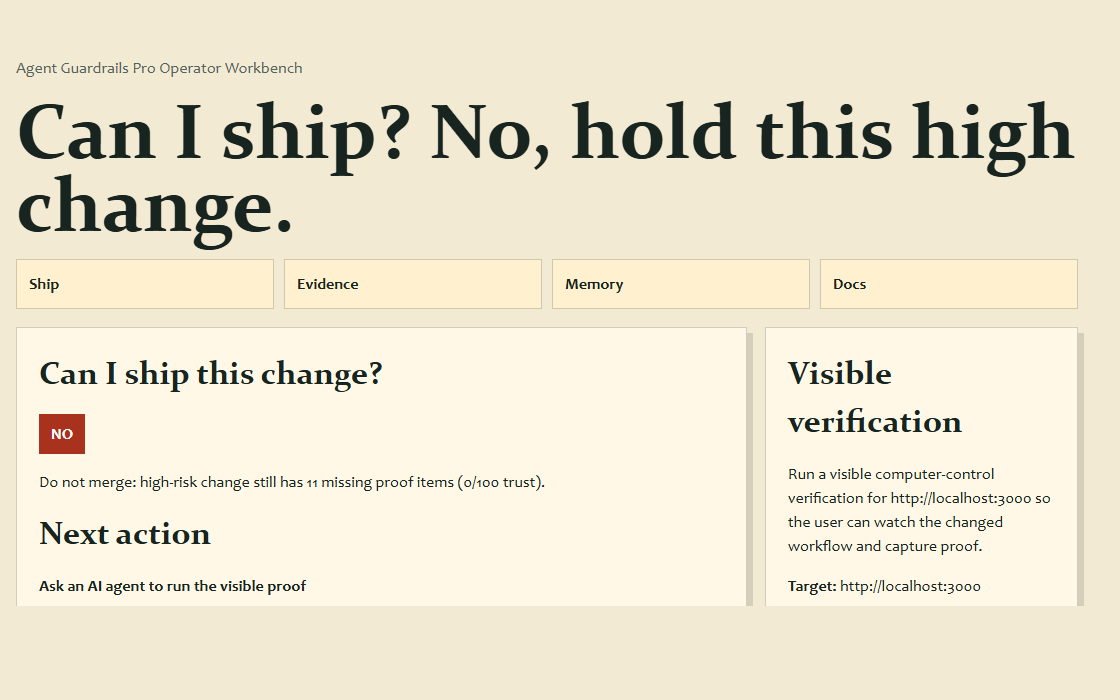
The prompt tells the agent what to run, where to save evidence, and how to report back after the rerun.
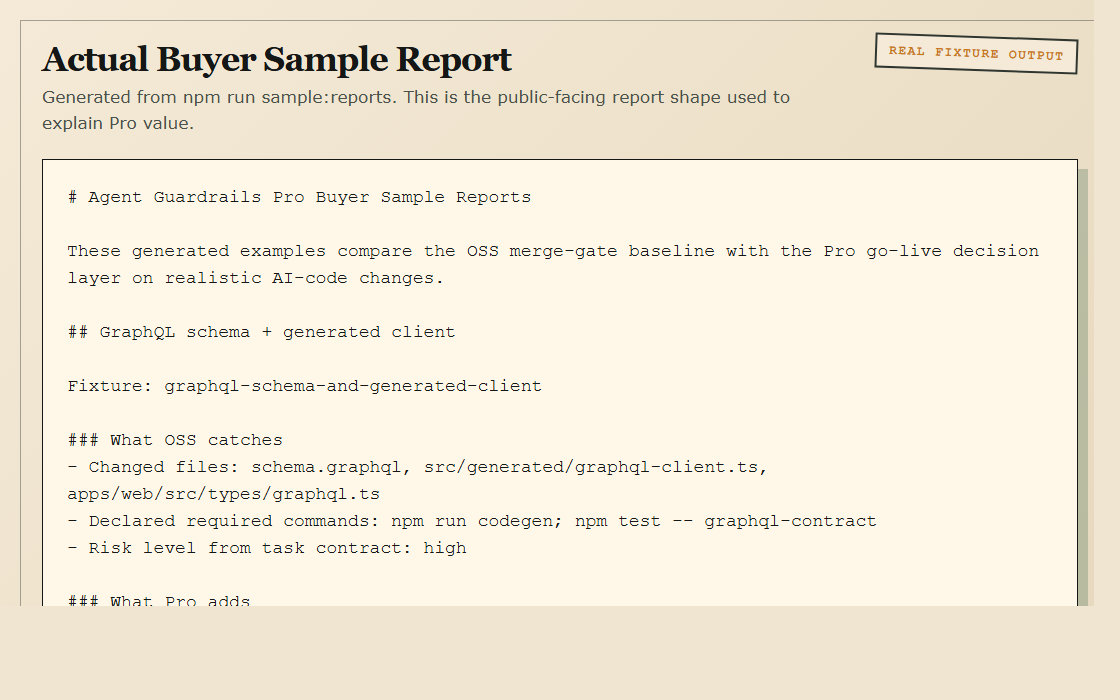
The Workbench and report explain what changed, why the release is still blocked, and what to do next.
If your team automates around this, the same information is available in structured output.
If your agent supports MCP, it can read the current status, save evidence notes, and record the result without manual copy-paste.
`pro_read_workbench` returns the current release decision, proof queue, and agent handoff.
`pro_capture_evidence_note` appends structured proof notes and artifact paths into the repo evidence file.
`pro_record_proof_outcome` records whether the proof actually helped, so future suggestions become more useful over time.